
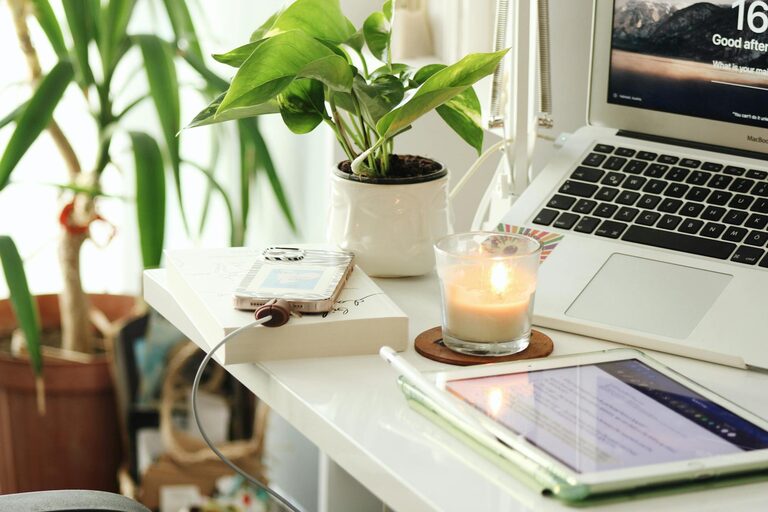
Creating a home office that feels inviting and helps you get work done efficiently is a goal for many remote workers and freelancers. A cozy, well-designed space can boost your motivation, reduce distractions, and improve your overall work experience. Whether you have a dedicated room or a small corner, these tips will guide you in setting up a comfortable and productive home office.
1. Choose the Right Location
Finding the best spot for your home office is the first step.
– Natural light is key: Position your desk near a window if possible. Natural light can reduce eye strain and improve your mood.
– Minimize distractions: Pick a quiet area away from busy zones like the kitchen or living room.
– Space considerations: Make sure the space allows enough room for your desk, chair, and any other essentials without feeling cramped.
2. Invest in a Comfortable Chair and Desk
Comfort plays a big role in productivity since you’ll spend hours sitting.
– Ergonomic chair: Choose a chair that supports your back and encourages good posture.
– Desk height: Your desk should let you type or write without straining your wrists or shoulders.
– Consider adjustable furniture: A sit-stand desk or an adjustable chair can offer flexibility and reduce fatigue.
3. Organize Your Workspace
A tidy space helps keep your mind clear and focused.
– Use storage solutions: Shelves, drawers, and organizers keep your tools and papers in order.
– Declutter regularly: Remove items you don’t need to avoid mess buildup.
– Keep frequently used items within reach: This saves time and prevents distractions.
4. Personalize Your Space
Adding personal touches makes your office enjoyable and inspiring.
– Decorate with plants: Greenery can improve air quality and create a calming atmosphere.
– Incorporate artwork or photos: Choose visuals that uplift or motivate you.
– Use colors wisely: Soothing colors like light blues or greens can reduce stress, while brighter accents may boost energy.
5. Manage Lighting for Comfort and Functionality
Proper lighting is essential for reducing eye strain and maintaining alertness.
– Use layered lighting: Combine overhead lights with task lamps to suit different needs.
– Adjust screen brightness: Make sure your computer display is easy on your eyes in your lighting setup.
– Avoid glare: Position your monitor and lights to prevent reflections.
6. Limit Noise and Distractions
Creating a quiet environment helps you concentrate.
– Use noise-canceling headphones: These can block out household sounds or distractions.
– Add soundproofing: Rugs, curtains, or acoustic panels help absorb noise.
– Communicate your work schedule: Let household members know your work hours to reduce interruptions.
7. Incorporate Technology Wisely
The right technology setup can streamline your workflow.
– Reliable internet connection: Stability and speed are crucial for virtual meetings and online tasks.
– Organize cables: Use cable ties or hidden channels to avoid clutter.
– Invest in quality peripherals: A good keyboard, mouse, and monitor can increase efficiency and comfort.
8. Create a Routine and Set Boundaries
Your environment supports your habits, but your mindset matters too.
– Set regular work hours: Consistency helps create a professional mindset.
– Take breaks: Step away from your desk periodically to recharge.
– Separate work and personal time: When your day ends, try to leave your work area or turn off notifications.
Final Thoughts
Designing a cozy and productive home office is about balancing comfort with functionality. By paying attention to your workspace layout, furniture choice, lighting, and organization, you can create an environment that helps you focus and feel relaxed. Remember, a thoughtfully arranged space encourages better habits and contributes to your success while working from home.